Modules · For the owner
Management review
How the work moves
Management review- 1Collect inputs
- 2Review performance
- 3Record decisions
- 4Track actions
Product Records Infrastructure and Management Review: management review. This is part of chapter 31 of the NormaQMS User Guide.
Management Review
Open: More > Management Review. Typical leads: Quality Manager and Executive. Under Schedule a review, enter the title and review date and choose Open review. The MR record begins as a Draft.
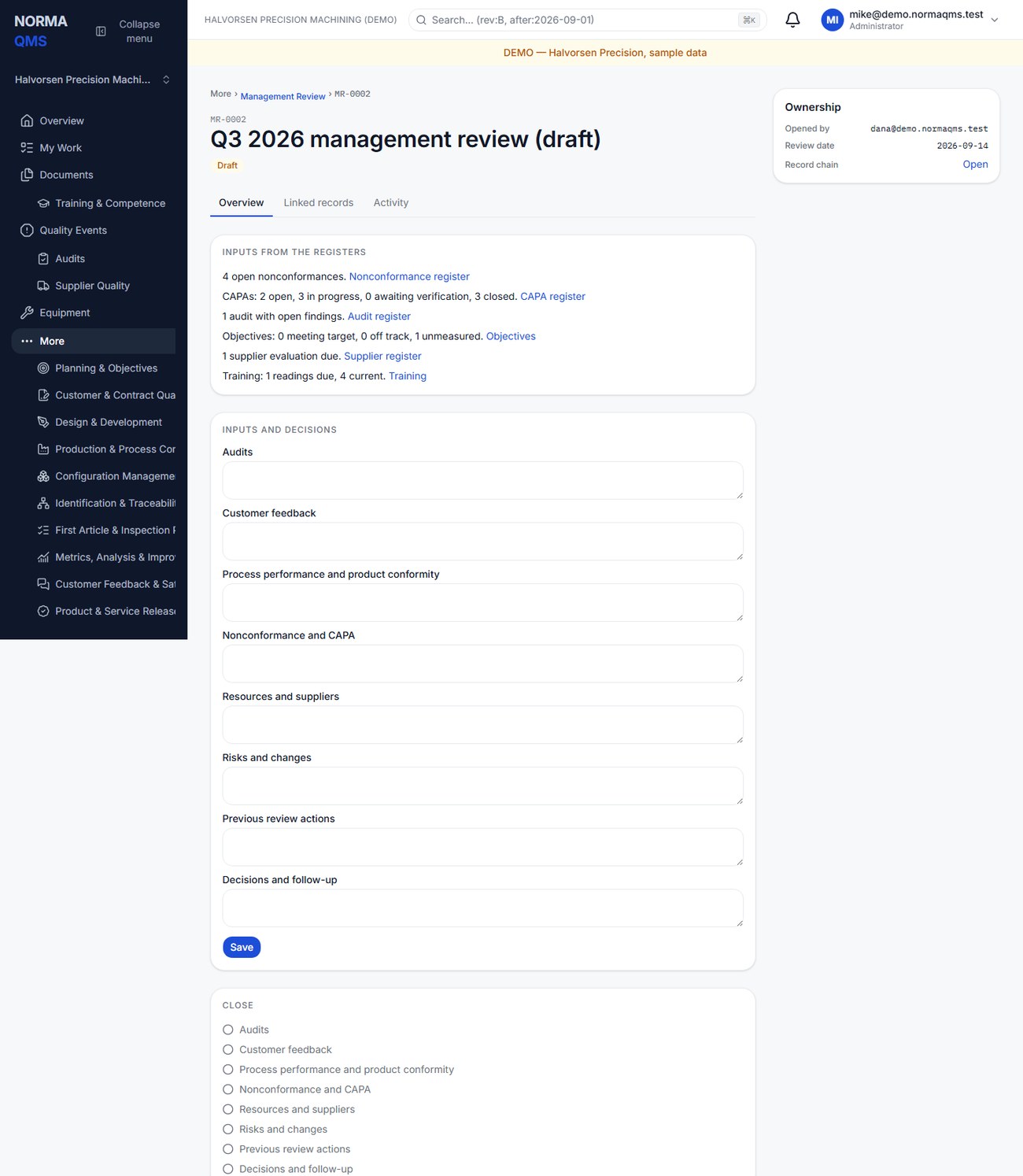
The current app pre-fills four empty agenda areas at creation from available register summaries: Audits, Nonconformance and CAPA, Process performance, and Resources and suppliers. A live Inputs from the registers card links to current source information while the review is draft. The prefilled narrative and the live card can differ after the registers change; review and update the minutes deliberately.
When the review closes, Norma stores the register figures it was closed against: open nonconformances, CAPA states, audits with open findings, objectives on and off target, supplier evaluations due, and training readings due, with the time they were read. A closed review shows them under Inputs recorded at close, so it reads the meeting's numbers, not today's. The figures cover the registers the person closing could see. Reviews closed before 1.5.0 say Not recorded — this review closed before input snapshots; their minutes are the record.
- Open the draft and compare the seeded information with the source registers and meeting period.
- Address all seven input areas: Audits; Customer feedback; Process performance and product conformity; Nonconformance and CAPA; Resources and suppliers; Risks and changes; Previous review actions.
- Record decisions and follow-up. Include action, owner, due date, and evidence references in the minutes; create ACT records separately where follow-up needs tracking.
- Save the review and inspect the closure checklist. Every input area and the decisions field needs content.
- The authorized user chooses Close review when the minutes are complete.
If an input had no activity during the period, state that conclusion and its basis. Do not erase a section to imply it was considered. The automatically seeded counts are preparation aids, not approved minutes or proof that management reviewed them.
Completion check: the review date and period are clear, all inputs were addressed, decisions are specific, follow-up is assigned, and the closed record retains what was decided. Use the Management review pack in Reports to retain supporting register exports.
In the user guide
This article is part of chapter 31, "Product Records Infrastructure and Management Review", of the NormaQMS User Guide (NORMA-UG-001), which is under Help > User guide. Chapter numbers in the text refer to that guide. The same chapter also covers: Device and Product Records; Infrastructure and Work Environment.