Modules · For the owner
Planning & Objectives
How the work moves
Quality planning- 1Set objective or risk
- 2Assign action
- 3Measure progress
- 4Review and adjust
Open: More > Planning & Objectives. Typical leads: Quality Manager and Executive; authorized department managers can record measurements. Three tabs cover objectives, risks and opportunities, and planned changes.
Create and monitor an objective
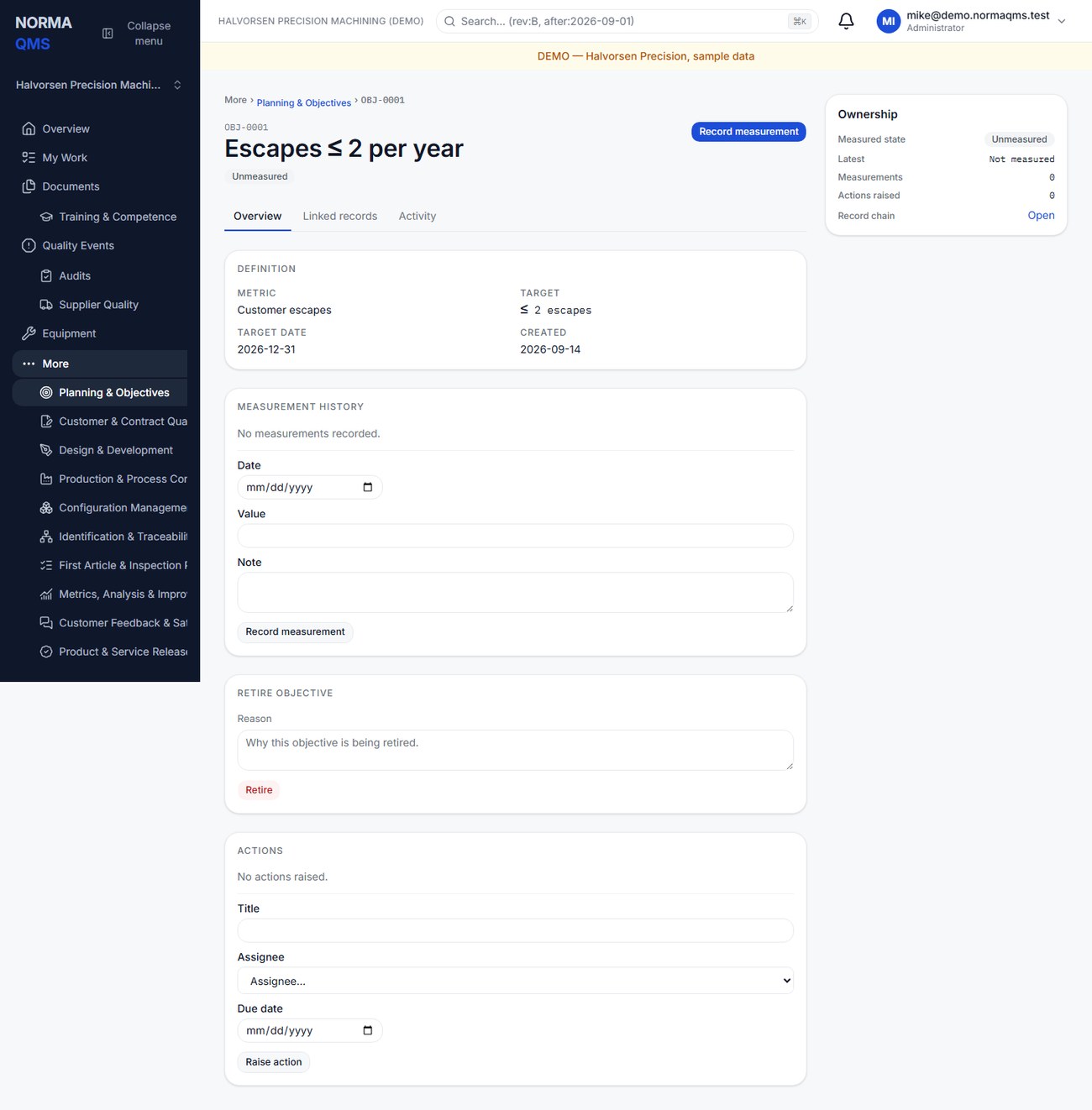
- Open Objectives and choose Raise objective.
- Enter title, metric name, unit, direction, target value, and optional target date.
- Use At least for a minimum desired performance, such as 95% on-time delivery. Use At most for a maximum, such as 2% scrap.
- Open the objective and record dated measurements as the data becomes available.
- Review the derived Meeting, Off track, or Unmeasured result. Investigate the source data if the status is surprising.
- Raise an action for work needed to improve performance. Retire an objective when it is no longer active, retaining its history.
The latest-dated measurement determines status. Backdating a measurement does not make it the latest merely because it was entered last. Write the measurement basis consistently so percentages remain comparable.
Read an objective from a metric
If the number is already recorded as a metric (chapter 27), let the objective read it rather than entering it twice. This needs Metrics, Analysis & Improvement on the plan.
- Open the objective and find Measurement source.
- Choose the Metric. Only active metrics in the same unit as the objective are offered; an objective in % cannot read a metric in ppm.
- Select Link metric.
Once linked, the objective's status comes from the metric's latest observation, judged against the objective's own target and direction. Neither record's target changes. Record measurement is no longer offered: record the value on the metric. The objective shows the metric's observations, and measurements entered by hand before the link stay visible as Earlier measurements (by hand) but no longer decide the status. The register's Source column reads the metric reference, or Manual.
To measure by hand again, enter a Reason and choose Unlink metric. The reason goes on the record chain. To change metrics, unlink first, then link the new one.
Manage risks and opportunities
Open Risks & opportunities and choose Raise, then a type, title, description, and priority. Describe the anticipated situation and the planned response. Use the record to raise an assigned action where follow-up is needed. Close the record with an outcome note explaining what happened and how the response worked.
Example: “Our only approved plating supplier cannot support the forecast.” The outcome might record qualification of a second source and the supporting supplier reference. Today's suspect material or product-safety occurrence belongs in Product Integrity or an NC; the planning risk explains the broader business exposure.
Plan a QMS change
Use Planned changes for a deliberate change to the system. Enter title, purpose, consequences, resource needs, and responsibilities. Raise actions while the plan is active. Complete or abandon the change with a note explaining the result.
A planned change describes the intention and organizational preparation. If the execution needs detailed impact assessment, effectivity, authorization, and verification, also create a Change Control record. Put reciprocal references in the narrative if no direct linking control is offered.
Follow up
Review off-track objectives and active risks at management review. Do not create measurements solely to clear a red indicator. Closed, retired, or abandoned planning records do not generate new linked actions; create a new current planning record when genuinely new work arises.
In the user guide
This article is chapter 13, "Planning and Objectives", of the NormaQMS User Guide (NORMA-UG-001), which is under Help > User guide. Chapter numbers in the text refer to that guide.